Account deletion
Follow these steps to delete your account data. When you delete your account, all data on ilmfinity’s servers related to your account is removed and cannot be recovered.
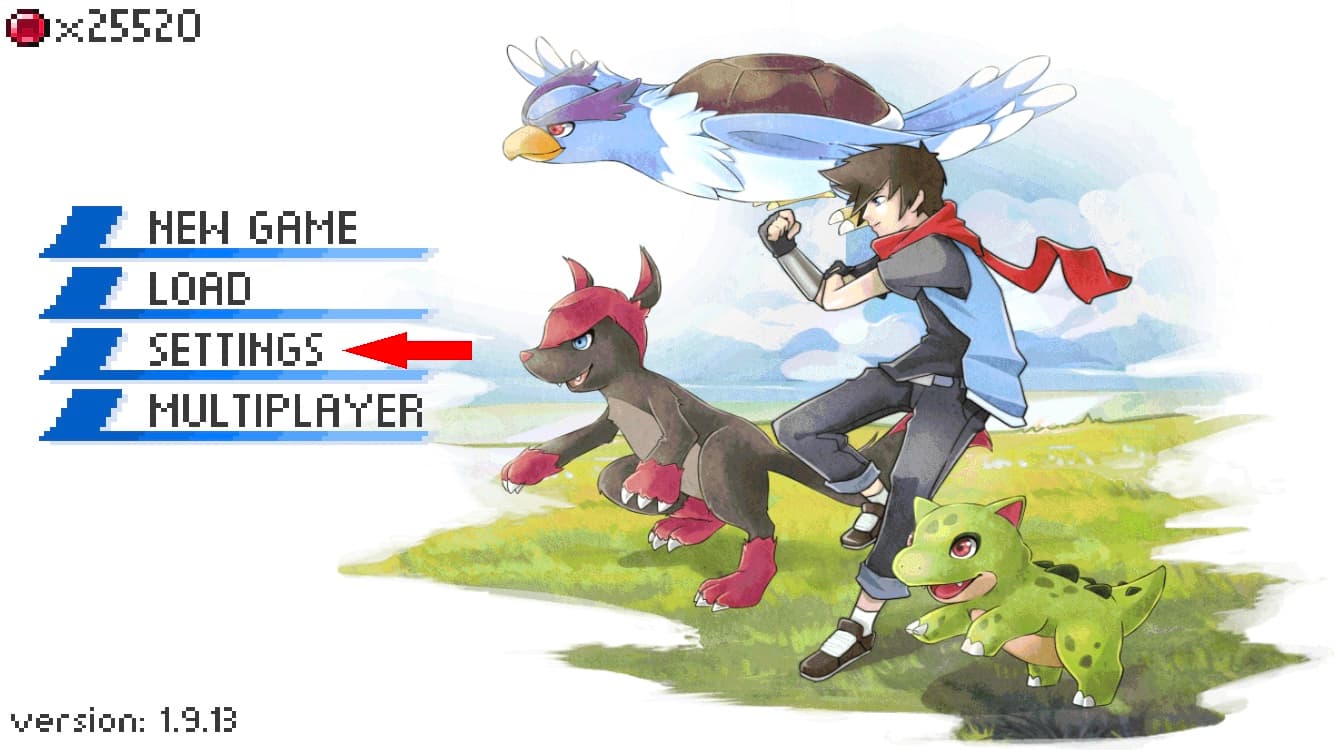
Step 1: Open the app and go to the settings menu.
Step 2: Press the Delete Account button.
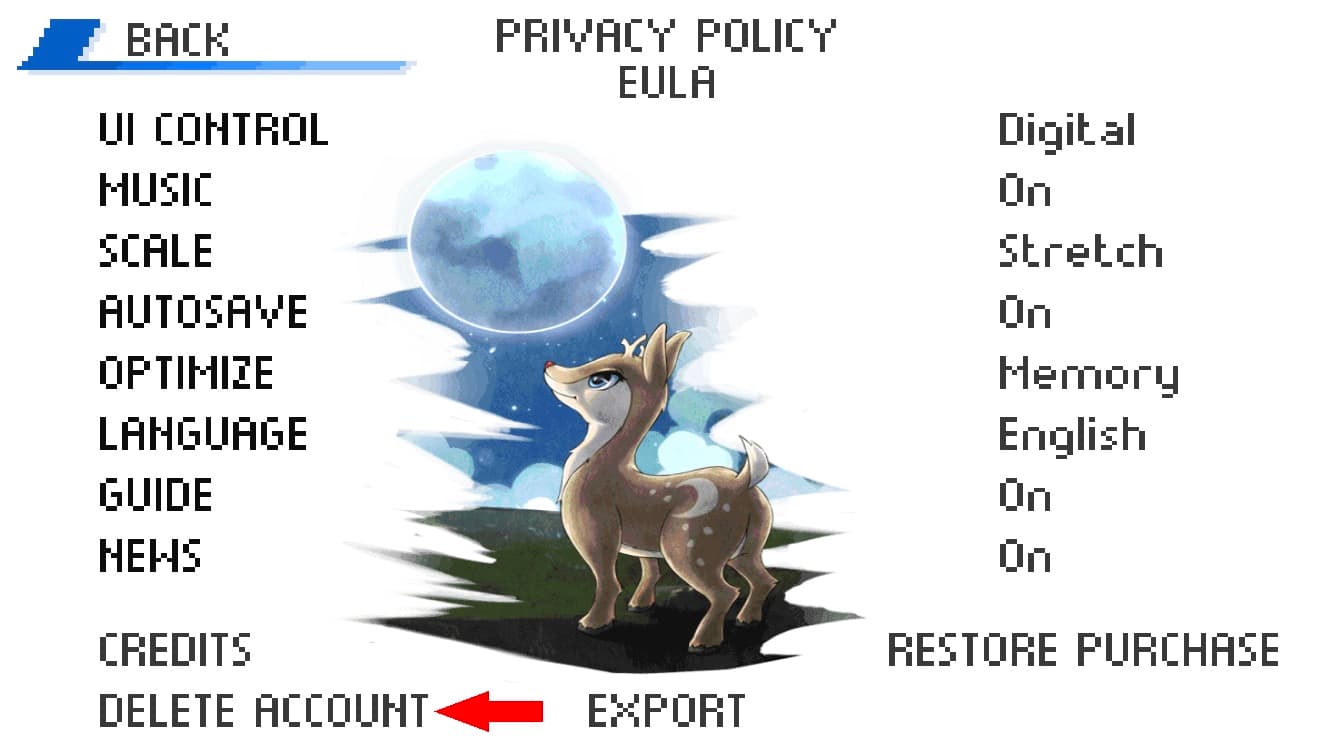
A confirmation dialog will pop up when your data has been deleted.